 appuza
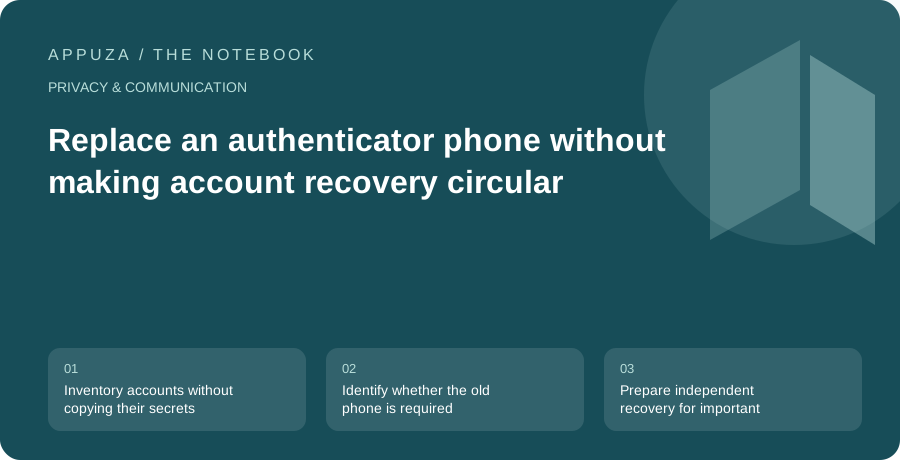
Inventory accounts without copying their secrets
An authenticator app can hold codes for many unrelated services. That makes a phone replacement a collection of account migrations rather than one application reinstall. Begin with a list of service names and the sign-in methods each uses. Do not copy setup QR codes, secret keys, or current codes into an ordinary spreadsheet. The inventory should describe dependencies, not become a new unprotected credential store.
Google Authenticator's documentation distinguishes account-synchronized use from use without a Google Account and describes a manual transfer path. Other authenticator applications have their own designs. Check the specific app and configuration you actually use rather than assuming that an icon on the new phone contains the old credentials. This guide is a planning workflow, not a report that every authenticator supports the same migration or backup mechanism.
Identify whether the old phone is required
A manual transfer can depend on the original device being available and unlocked. A synchronized setup can depend on access to the account that holds the synchronized data. Those paths survive different failures. If the old phone is already lost, instructions that require scanning its screen do not solve the problem. If the synchronization account requires a code available only inside the unavailable authenticator, you may have a circular recovery dependency.
Write down the actual path for your configuration. Then imagine the old phone is unavailable and ask what remains. A supported backup code, another registered authenticator, or another account-recovery option may provide a route, depending on the service. Do not assume that a carrier transferring your phone number recreates authenticator secrets; phone-number verification and locally generated codes are different mechanisms. Use each account provider's current recovery guidance for the situation you are planning to survive.
Prepare independent recovery for important accounts
Prioritize accounts that control other access: primary email, device accounts, and password management. Review the supported backup methods in their security settings while you still have a working sign-in. Google, for example, documents backup codes for eligible two-step-verification configurations and explains that used codes and replaced sets have specific validity rules. The practical lesson is to keep the current material identifiable and avoid relying on an old unlabeled printout.
Store recovery material where it remains available if the phone is lost, while protecting it from casual access. A photograph only on the same phone does not create independence. A copy inside a locked account that requires the missing code may not help either. Choose a small number of deliberate locations and label the material by account and purpose. Do not share it with someone merely because they offer to help transfer the app; a helper can explain the process without receiving your secrets.
Transfer through the supported route and test real sign-ins
Follow the authenticator's current transfer or synchronization instructions on the devices involved. Keep the old phone secure and available until the destination is checked. If a transfer uses a QR code containing credential material, treat that display as sensitive. Do not screen-share it, upload it to a converter, or save it in a public note. Use only the supported receiving application and verify that you are transferring the intended accounts.
Afterward, test representative services through their normal sign-in flows. Opening an already authenticated application does not show that a new authenticator code works. Start with a low-risk account, then check the important accounts whose recovery would be difficult. Confirm the account label as well as the code; similar names can cause confusion when personal and work accounts use the same service. If a code fails, investigate the documented troubleshooting path before deleting the original entry or repeatedly changing security settings.
If two entries have similar names, confirm the username or account identifier before declaring both transferred. A personal account and a work account can use the same service while requiring different codes. Label them clearly through the authenticator’s supported controls, then test each relevant sign-in separately. A successful test of one does not validate the other merely because their icons match.
Understand deletion and synchronization before cleanup
Removing an entry from the old app may have consequences beyond that device if the entries are synchronized. Google's documentation describes deletion behavior for synchronized Authenticator codes. Read the current instructions before using deletion as a cleanup method. The action you intend may be remove this device's access, while the action offered by the app may be delete this credential from the synchronized set. Those are not the same outcome.
Likewise, erasing a phone and removing an authenticator from a service's account settings are separate decisions. If you registered a replacement method directly with the service, review whether the old method should remain enabled. If you transferred the same credential through a supported path, follow the provider's guidance for retiring the old device. Avoid inventing a universal cleanup sequence that ignores how the particular authenticator stores and synchronizes information.
Finish with a recovery map you can actually use
Once the new device works, record the date, the transfer method, and the location of the recovery instructions in general terms. Keep the note free of live codes and secret keys. Review the account inventory for any service you did not test and mark that limitation honestly. A migration is not fully verified merely because the new app displays a similar list of names.
The durable result is a simple map: where each important second factor lives, how you can recover if that device is unavailable, and which account or storage system the recovery itself depends on. Revisit the map when you change phones, switch authenticator apps, or replace a backup method. The goal is to preserve the protection of two-step verification while removing avoidable circular dependencies, so that losing one device does not turn every account into a separate emergency.
Official references
- Google Account Help: Authenticator and transfer
- Google Account Help: backup codes
- Google Account Help: two-step verification issues
These are editorial walkthroughs based on documented features, not claims of a completed device test. Product behavior can change. Send a correction.