 appuza
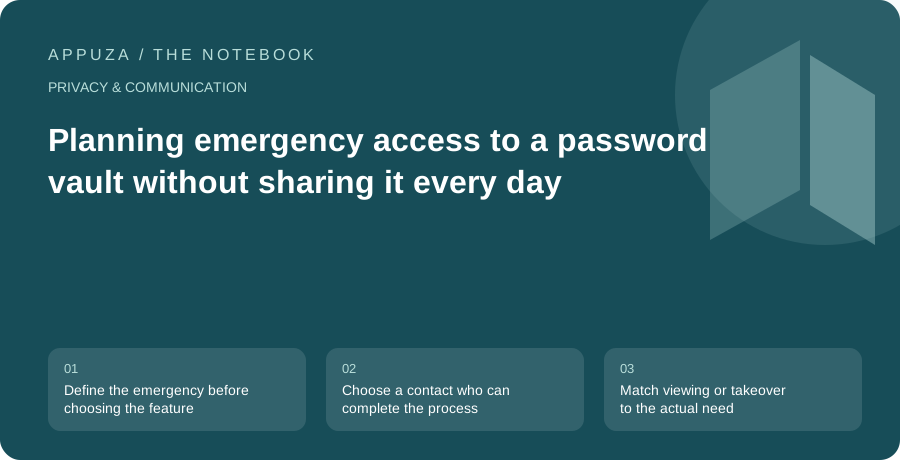
Define the emergency before choosing the feature
Emergency access should answer a specific household problem. Perhaps a partner needs utility account details during a hospital stay. Perhaps an elderly relative wants a trusted person to help if they can no longer use a device. Perhaps you simply fear forgetting a master password. These situations overlap, but the amount of access and the acceptable delay may differ. Start by describing the information that another person would need and the circumstances in which they should obtain it.
Bitwarden documents an emergency-access mechanism with a trusted contact, an access type, and a waiting process. Availability depends on the current account offering, so verify the applicable plan before building a household procedure around it. This article is about practical preparation, not legal authority or estate planning. Access to an account does not automatically confer permission to act for someone in every context. For institutional or legal responsibilities, use the procedures required by the relevant organization and jurisdiction.
Choose a contact who can complete the process
Trust is necessary, but so is practical availability. A trusted contact should understand what the invitation means, maintain access to their own account, and know where to find the emergency procedure. Someone who rarely checks email or has lost their own recovery information may be a poor sole dependency even if you trust them completely. Discuss the role explicitly rather than sending an unexplained invitation and assuming it has created a usable plan.
Walk through the non-emergency parts together. Confirm that the invitation has been accepted and that the arrangement reaches the intended completed state. Explain how they would recognize a real need for access and how they should contact you first when possible. Keep the instructions short enough to use under stress. They should identify the official application and the relevant account, without including your master password in a shared message thread. An emergency feature is most useful when it replaces casual password sharing with a clearer process.
Match viewing or takeover to the actual need
Bitwarden distinguishes access that lets the contact view vault information from access that lets them take over the account by setting a new master password. Those outcomes are materially different. A person who needs a household service login may not need control of the entire account. Conversely, a long-term inability to manage the vault may require a different arrangement from temporary access to a few records. Read the current descriptions carefully before selecting an access type.
Also consider whether emergency access is the right tool at all for information that should already be shared. If both partners routinely manage a utility account, an appropriate shared-vault arrangement may be simpler than waiting for an emergency process. Reserve emergency access for circumstances where normal access should remain limited. Mixing the two use cases can create unnecessary delays during ordinary tasks and unnecessary exposure during daily life. Write down why you chose the scope so that a future review can assess whether the household's needs have changed.
Set a waiting period with real-life availability in mind
The documented process allows the account holder to approve or deny a request, with access becoming available after the configured wait when applicable. That waiting period is a tradeoff between timely help and an opportunity to notice and reject an unwanted request. A delay that sounds reassuring in theory may be impractical if the needed information concerns an immediate household obligation. A very short delay may provide little useful response window during travel or a period away from devices.
Choose with your normal communication habits in mind. How often do you check the relevant notifications? What happens during a long flight, a camping trip, or a lost-phone incident? Do you have another way to receive important account notices? No single duration fits every household. The useful exercise is to name a plausible emergency and a plausible false request, then ask whether the chosen delay handles both reasonably. Revisit the decision if your travel, health, or caregiving circumstances change.
Keep a separate map of what the vault contains
An emergency contact should not have to search hundreds of cryptic entries to discover the three accounts needed for an urgent task. Use clear item names and appropriate organization inside the vault. A household instruction document can explain categories such as utilities, insurance contacts, or device support without reproducing passwords. This gives the contact a map while keeping ordinary access to the secrets controlled by the chosen mechanism.
Be careful with accounts that require additional factors or documents outside the vault. A password alone may not be sufficient to sign in or obtain assistance. Note where the relevant recovery instructions or official support routes are stored, using general location descriptions when that is safer. Avoid creating a dependency in which every useful instruction is available only after accessing the account whose recovery it describes. The map should help the contact understand the situation without becoming an unprotected duplicate of the entire vault.
Review the arrangement after life changes
A completed setup deserves a periodic review, especially after a change of partner, caregiver, email address, account plan, or trusted device. Remove contacts who should no longer have the role and verify replacements through the normal invitation process. Do not assume that editing a household document changes the application's actual access settings. The written plan and the configured permissions need to agree.
A rehearsal can stop before any real takeover. Confirm that both people can find the settings, understand the access type, and know how requests are handled. If you choose to test a live request, first read the current implications and agree on how it will be rejected or completed; do not experiment casually with a production vault. The final goal is modest and concrete: the right person knows how to obtain the right level of access under the circumstances you intended, while everyday account use remains under your control.
Official references
- Bitwarden: emergency access
- Bitwarden: request and grant emergency access
- Bitwarden: export vault data
These are editorial walkthroughs based on documented features, not claims of a completed device test. Product behavior can change. Send a correction.