 appuza
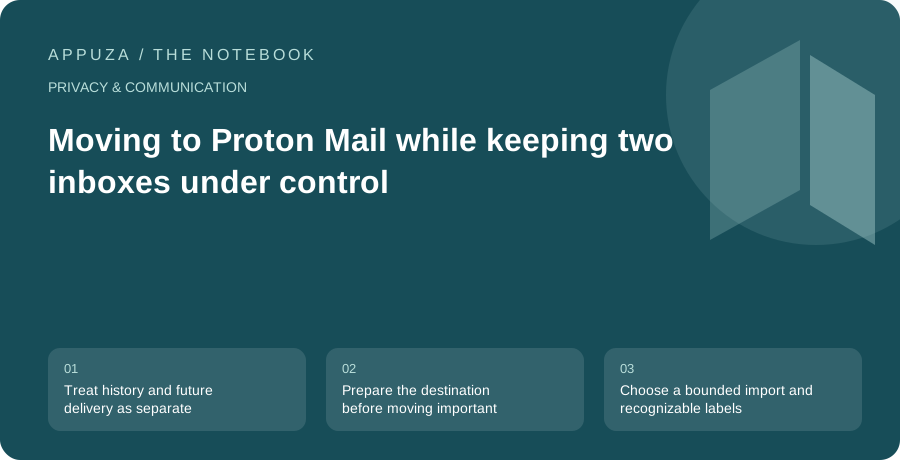
Treat history and future delivery as separate projects
An email move has two timelines. Old messages need to remain searchable, while new messages must reach a place you actually monitor. Importing years of mail does not automatically update every website that still knows the old address. Forwarding new mail does not necessarily preserve the historical folder structure. Begin by separating these jobs on paper. The first is an archive migration; the second is a contact and account migration.
Proton's Easy Switch documentation describes importing supported data from other providers and customizing the import. This guide builds a practical transition around that capability. It is not a claim that every provider, folder arrangement, or attachment transfers identically. Before starting, check the current supported path for your old service and the storage available in the destination account. If you use a custom domain, domain ownership and mail routing introduce another set of responsibilities that should be planned separately from importing messages.
Prepare the destination before moving important mail
Set up the destination account's security and recovery options first. Proton distinguishes regaining account access from recovering encrypted account data after some kinds of password reset. That distinction matters more after you have moved years of correspondence into the account. Read the recovery documentation, choose supported methods, and store recovery material somewhere that does not depend solely on the same account being available.
Next, send and receive a harmless test message with an account you control or a person who has agreed to help. Check the sender address and the display name that the recipient sees. Confirm that your intended devices can access the mailbox through supported clients. If you plan to use a desktop email client, verify the relevant Proton support and plan requirements before assuming it behaves like the old provider. These checks establish a working destination before the archive adds complexity.
Choose a bounded import and recognizable labels
Review the import summary rather than accepting every default without inspection. Proton documents controls for the time range, folders, and labeling of imported messages. A distinctive import label can make the transferred material easier to inspect later. If your old mailbox contains a large amount of disposable promotional mail, decide whether moving all of it serves a useful purpose. The goal is preserving information you need, not reproducing every historical accumulation automatically.
Be cautious about folder names that already exist in the destination. Proton's documentation explains how matching names and folder hierarchy can affect the resulting structure. Before importing, choose a few representative locations to verify afterward: a sent message, an archived conversation, a nested folder, and an attachment you still need. Keep the original account intact during this stage. If the result is confusing, investigate the import report and documented behavior before starting another full import that could make the structure harder to untangle.
Validate by content, not just by completion status
A completed import status is useful, but your acceptance checks should reflect how you use mail. Search for a known sender and an old subject. Open an attachment. Inspect a message that originally lived in a nested folder. Check that sent correspondence appears where you expect it and that you understand how the new mailbox presents conversations. The purpose is to detect meaningful gaps or reorganizations before you depend on the destination as the only archive.
Do not assume that a different message count means failure or that an equal count proves success. Providers can represent conversations, labels, and folders differently. Use the official troubleshooting guidance to interpret discrepancies, then preserve evidence of the specific example that appears wrong. A useful support request describes the source location, approximate date, and observed result without exposing the entire private message. If you need to share a screenshot, remove addresses and content that are not necessary to explain the problem.
Move account addresses in a deliberate order
Once the destination works, update services that use the old email address. Begin with accounts that control other access, then work through services you use regularly. Keep a simple checklist containing the service name, whether the address was changed, and whether the new address was verified. Do not include passwords in this migration list. Some services distinguish a contact address from a sign-in identifier, so read the resulting account settings rather than assuming both changed together.
During the transition, monitor the old inbox on a schedule. Each legitimate message arriving there is evidence of a remaining dependency. Newsletters can often be updated or unsubscribed from in batches; important account notices deserve individual attention. If you enable forwarding through the old provider, test it and understand what it does to spam handling and replies. Forwarding is a bridge, not proof that the sender now knows your new address. Avoid closing the old account merely because a quiet week makes the migration feel finished.
End with an exit decision rather than an arbitrary date
The right time to retire the old mailbox depends on the dependencies you discover. A person with a handful of personal accounts may finish quickly; someone with years of business correspondence may need a longer overlap. Review the checklist, inspect recent arrivals, and confirm that recovery addresses elsewhere no longer point exclusively to the old account. If the old address remains necessary for a particular service, document that exception instead of pretending the migration is complete.
Finally, review the access granted for migration through the providers' supported controls and retain any archive you need in an appropriate format. Keep a brief record of the import date, scope, and unresolved differences. The useful outcome is a mailbox you can operate confidently: historical messages are findable, new mail reaches a monitored destination, recovery does not depend on a missing device, and the old address has a deliberate role rather than remaining an invisible link in your account chain.
Official references
These are editorial walkthroughs based on documented features, not claims of a completed device test. Product behavior can change. Send a correction.